KB No. 15: Integration of the Olfeo SaaS agent with EDRs/Antivirus software
Background
The purpose of this article is to ensure that the Olfeo SaaS solution works well with all EDRs/antivirus programs. In some cases, these programs can interfere with the installation of the Olfeo SaaS desktop agent, user authentication, or smooth web browsing. To address these issues, here are some measures that can be implemented on a case-by-case basis.
Installation of the Olfeo SaaS mail agent
In order to overcome a blockage in the installation of the Olfeo SaaS agent, it may be necessary to exclude the Olfeo SaaS agent installation .msi file from the EDR scan, as well as the directories used by the agent:
- For Widows:
- C:\Program Files\trustlane (contains the agent binaries themselves and the systray)
- C:\ProgramData\trustlane (contains configuration files)
- For macOS:
- /usr/local/bin/trustlane_authentication_agent (contains the agent binary)
- /Library/Preferences/trustlane/ (contains configuration files)
Please note: without excluding the directory containing the configuration files, some EDRs may also block the user authentication phase.
Example with Kaspersky Editor and directory exclusion C:\ProgramData\trustlane: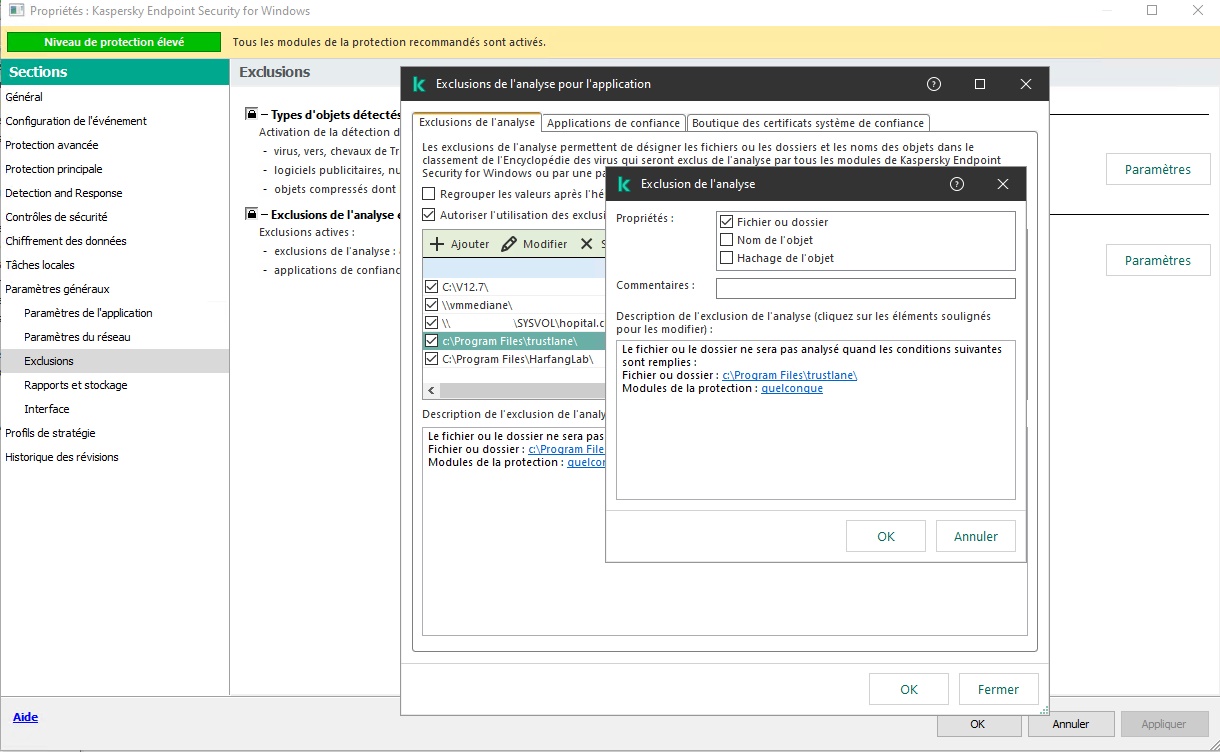
Example with Kaspersky and the exclusion of .msi of the Olfeo SaaS agent: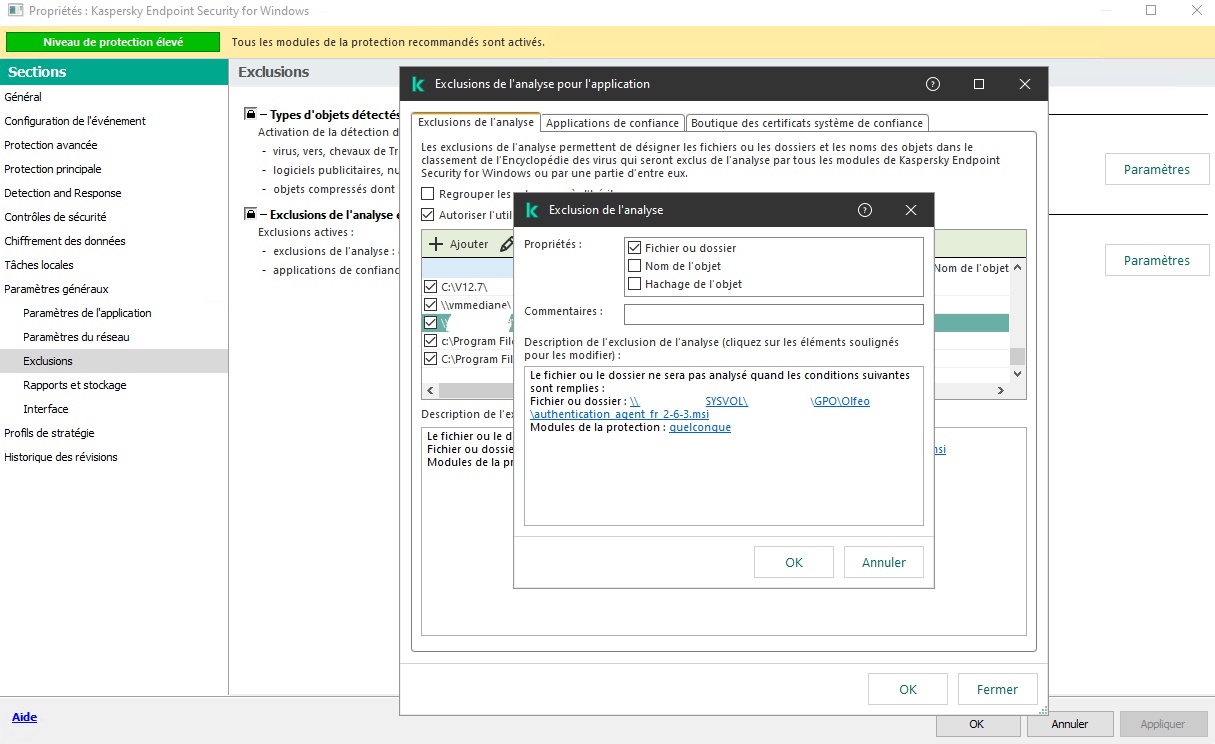
Smooth web browsing
EDRs may need to communicate with their publisher's cloud services for several reasons:
- Update their threat database
- Verify authentication or license information
- Issue reports and alerts
- Event log storage
- Administer the EDR
- Offload part of the threat analysis to the cloud in real time
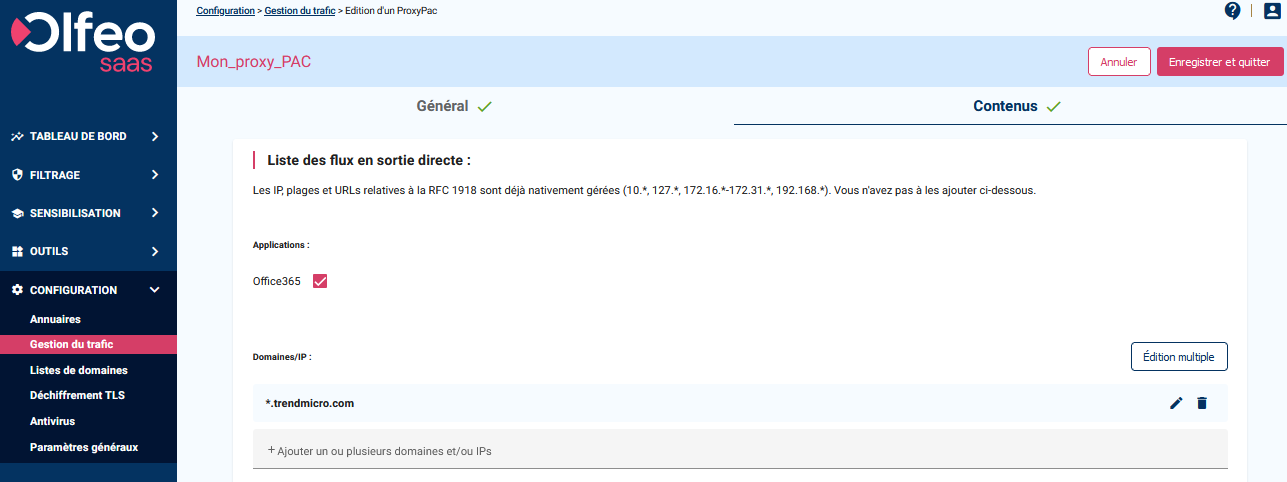
The flows resulting from the real-time offloading of part of the analysis to a third-party cloud may sometimes not support proxification well, depending on the publisher. This can impact the fluidity of web browsing. In this case, it is recommended that you route these flows directly to the publisher's cloud services. Refer to your EDR publisher's documentation to refine the list of FQDNs to exclude.
Example of excluding these flows with TrendMicro's EDR: