
KB 2444: HIGH AVAILABILITY WITH OLFEO SERVERS
How to set up high availability on Olfeo servers.
Objective
Implement high availability with the VRRP protocol in order to use a virtual IP address that enables Olfeo service continuity on one of the cluster members.
Steps
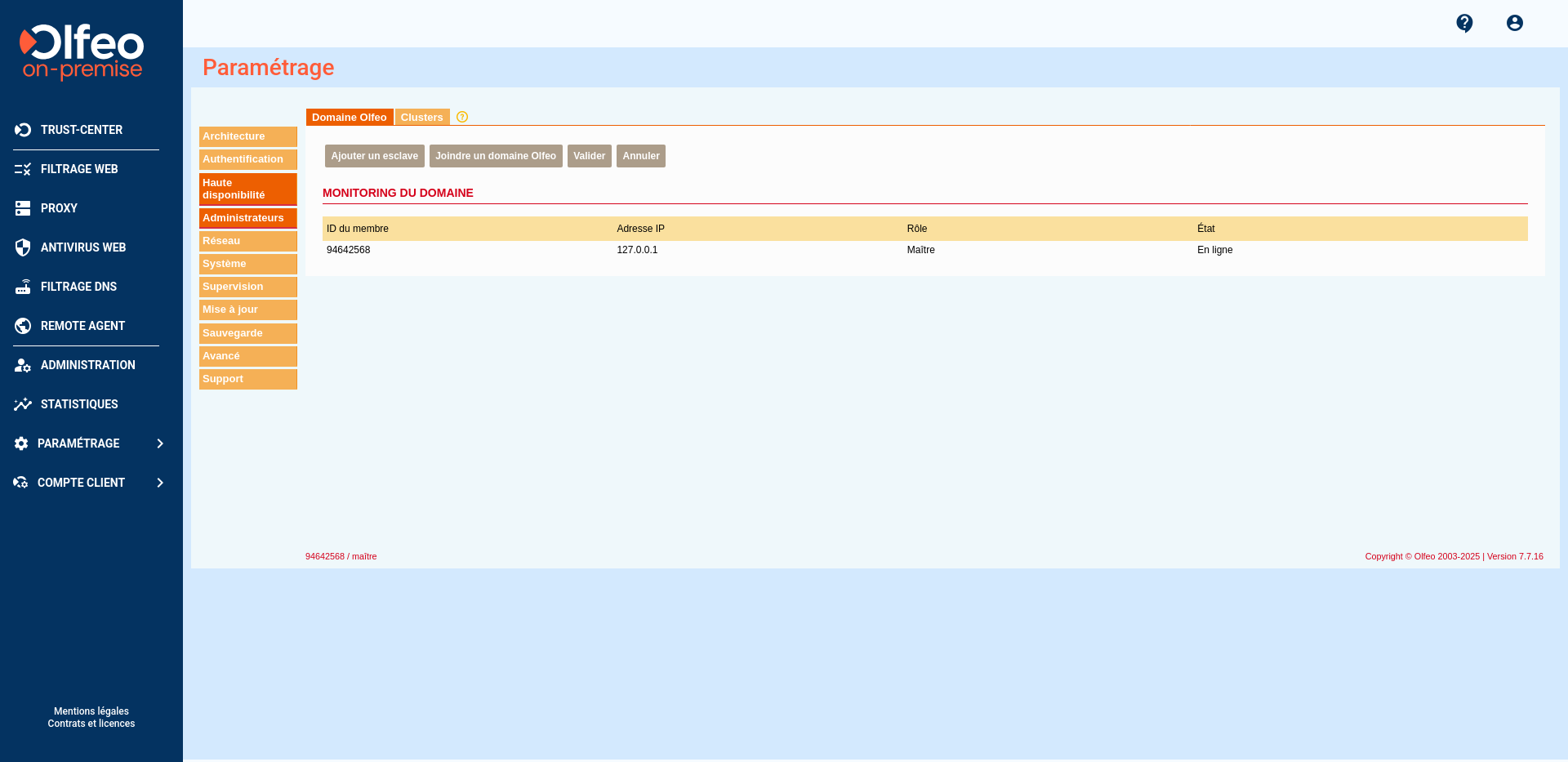
1. On the master machine, on the page, click Add a slave:
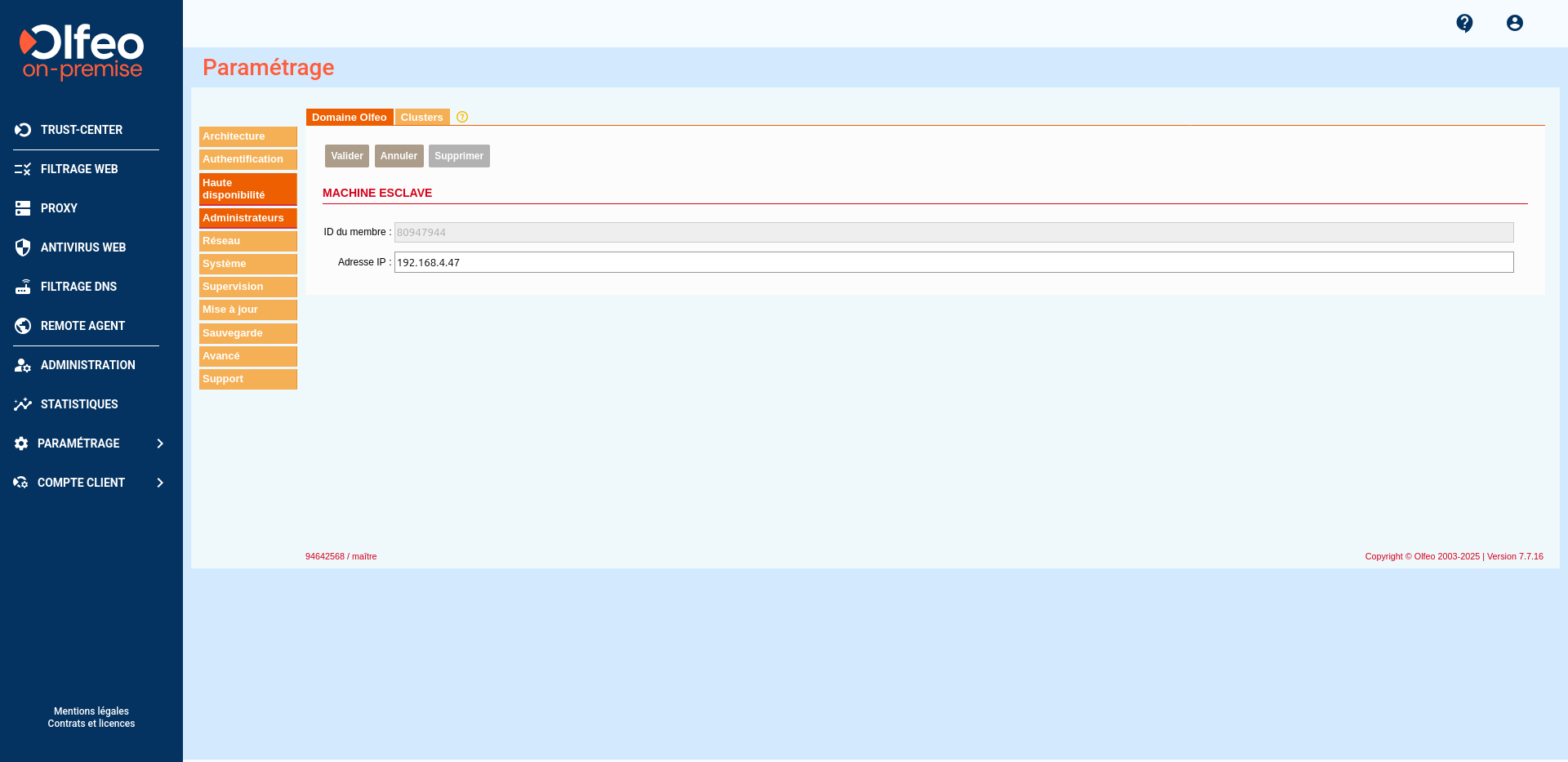
The Slave Machine screen appears. Add the IP address of the future slave machine:
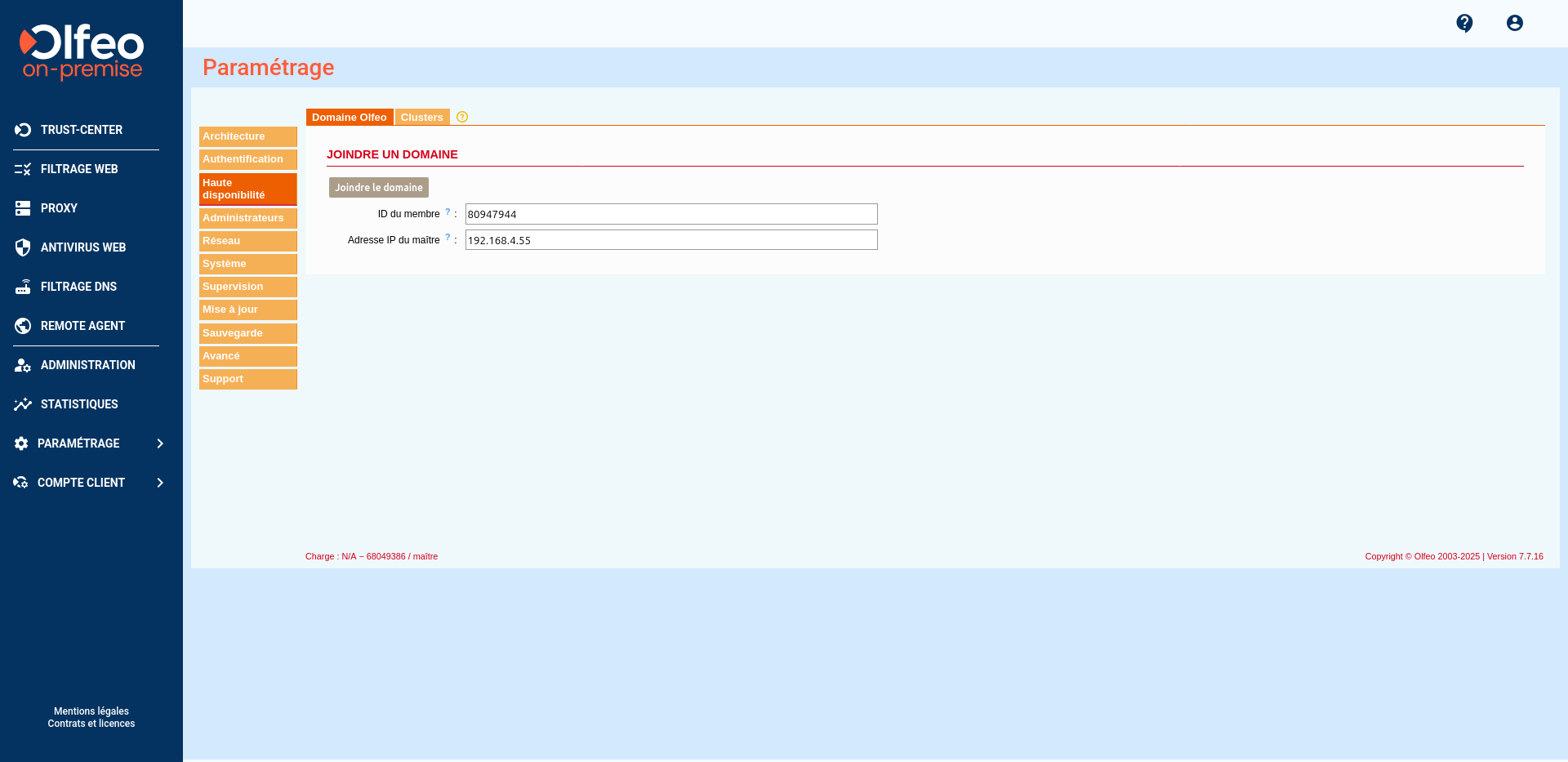
On the slave machine, enter the ID provided by the master machine and the master's IP address to join the Olfeo domain, then confirm:
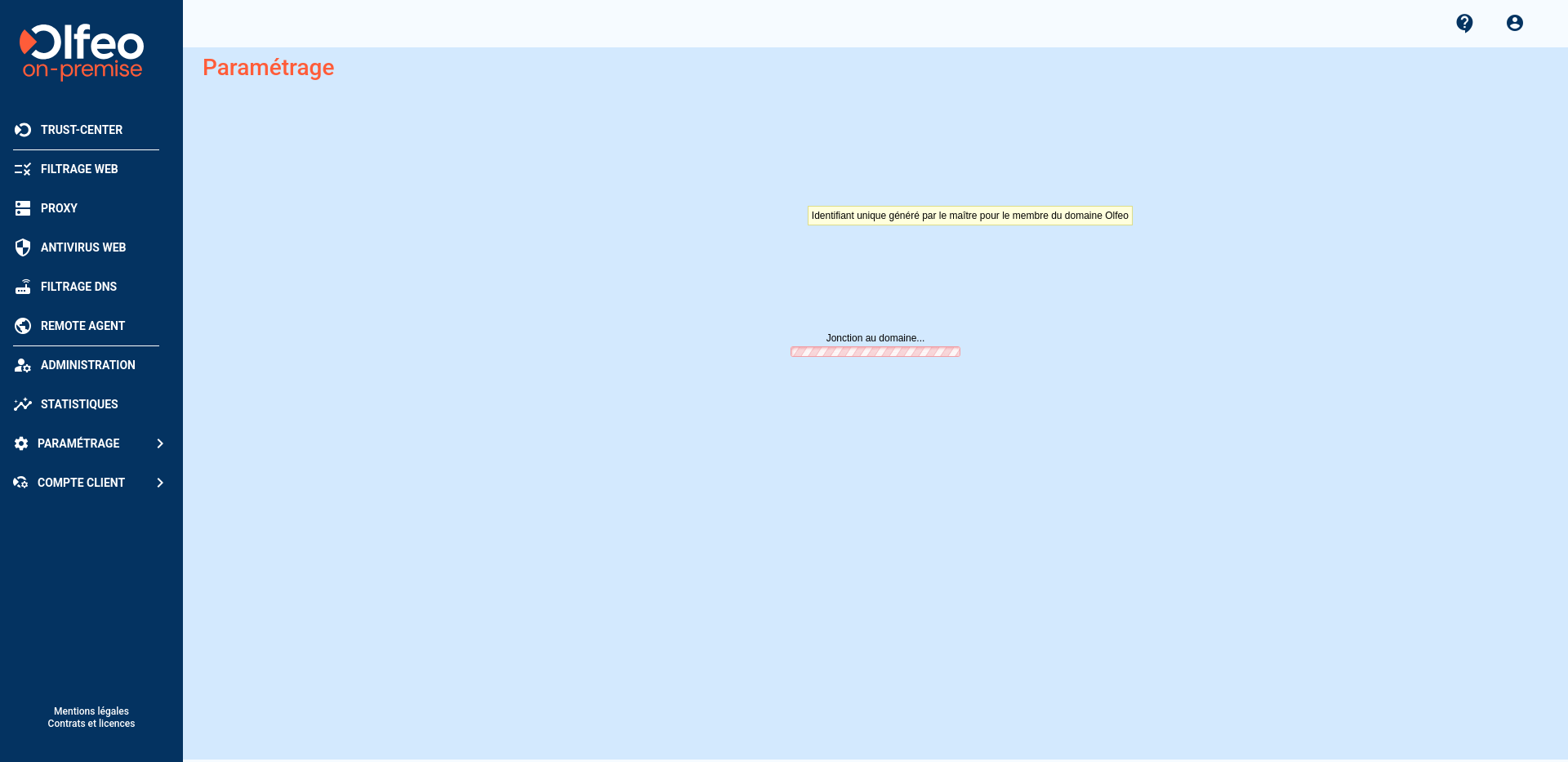
A patience page will then indicate that the connection to the domain is in progress:
Log in using an administrator account on the master machine: only the menus specific to the local configuration of the machine will appear. The graphical interface now indicates that the server is in slave mode:
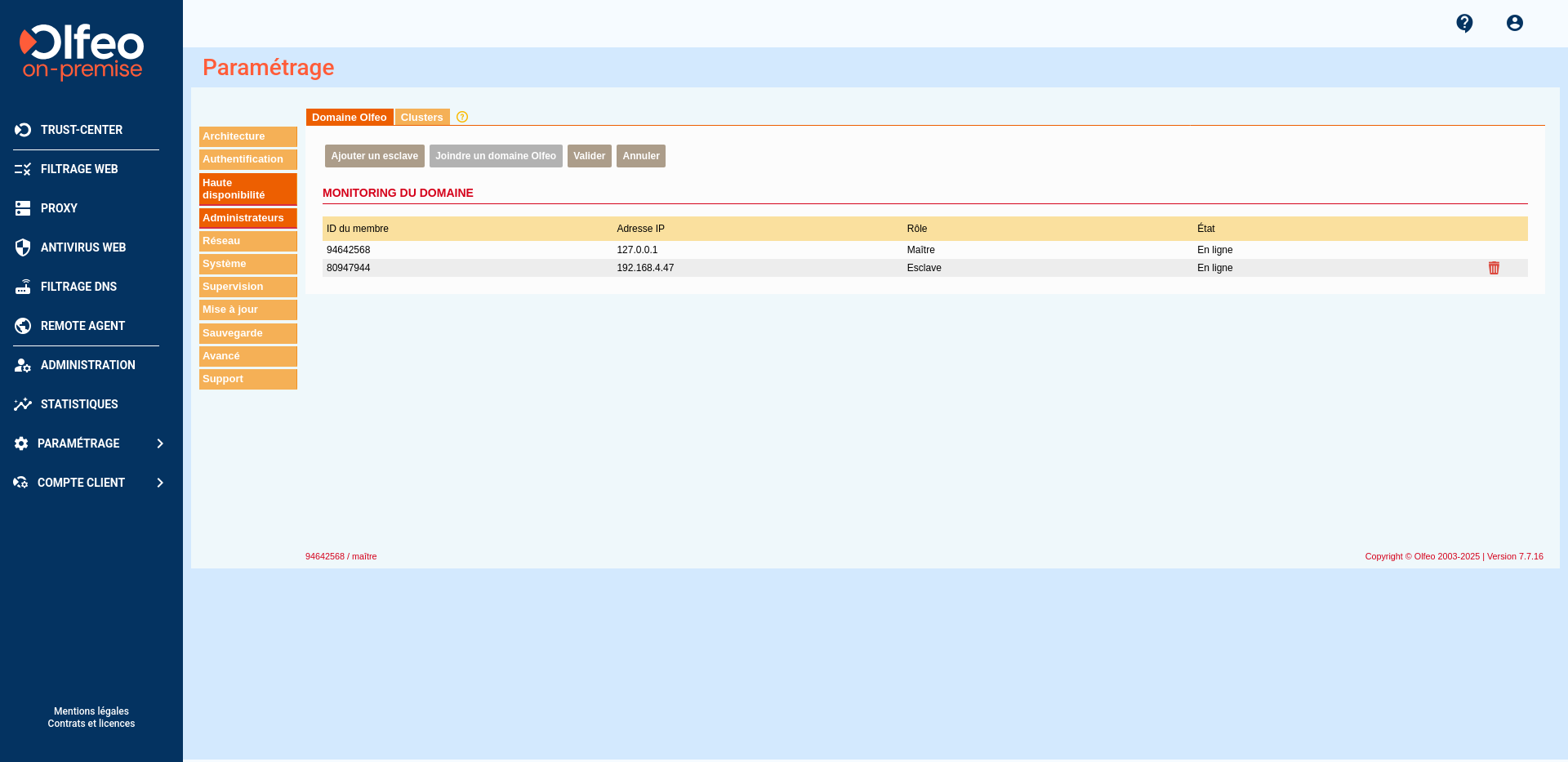
Refresh the Domaine Olfeo page on the master machine:the slavestatus changes to Online.
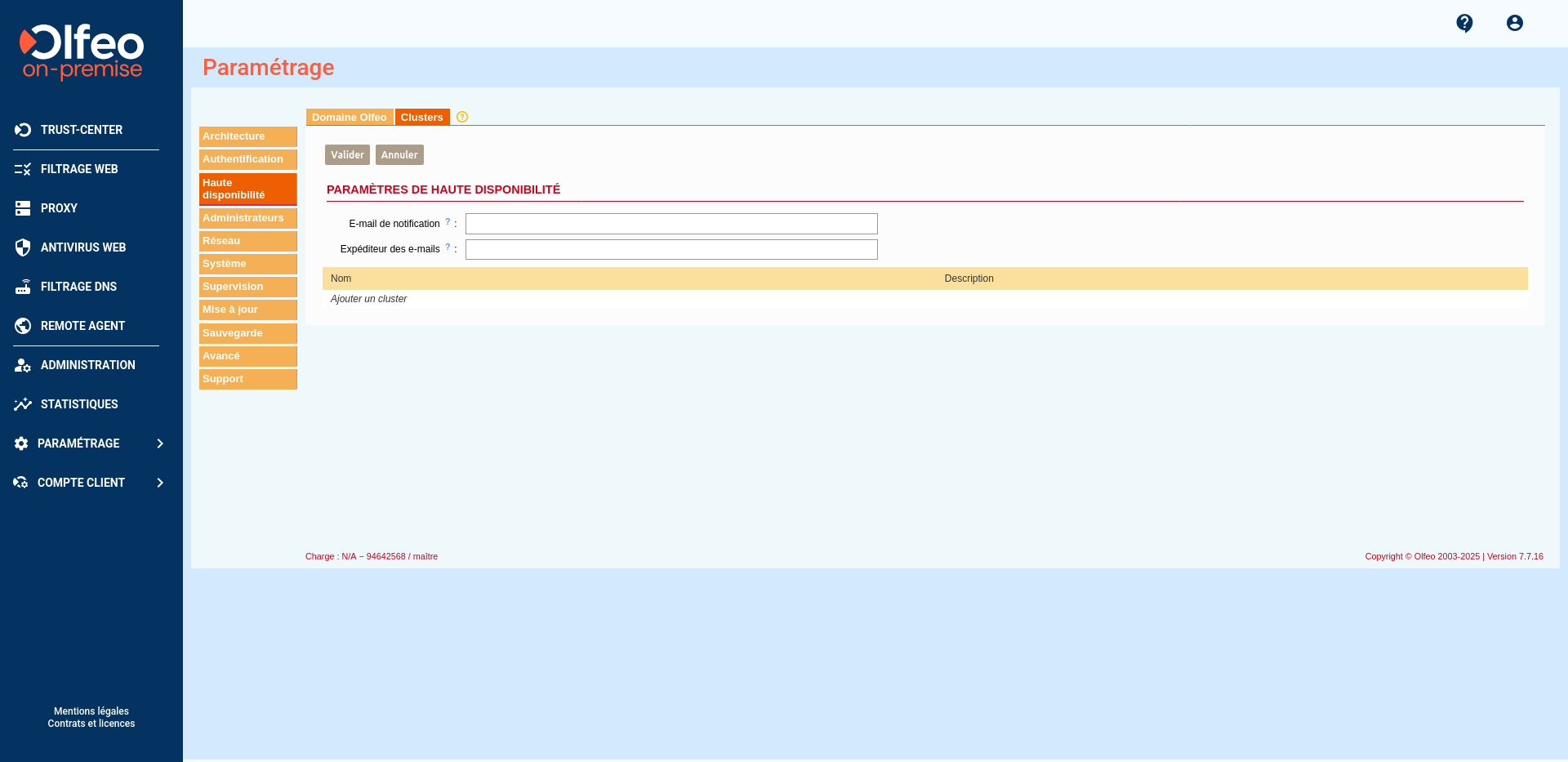
2. The second step is to create a cluster so that each member has a virtual IP address. Click on the Add Cluster link:
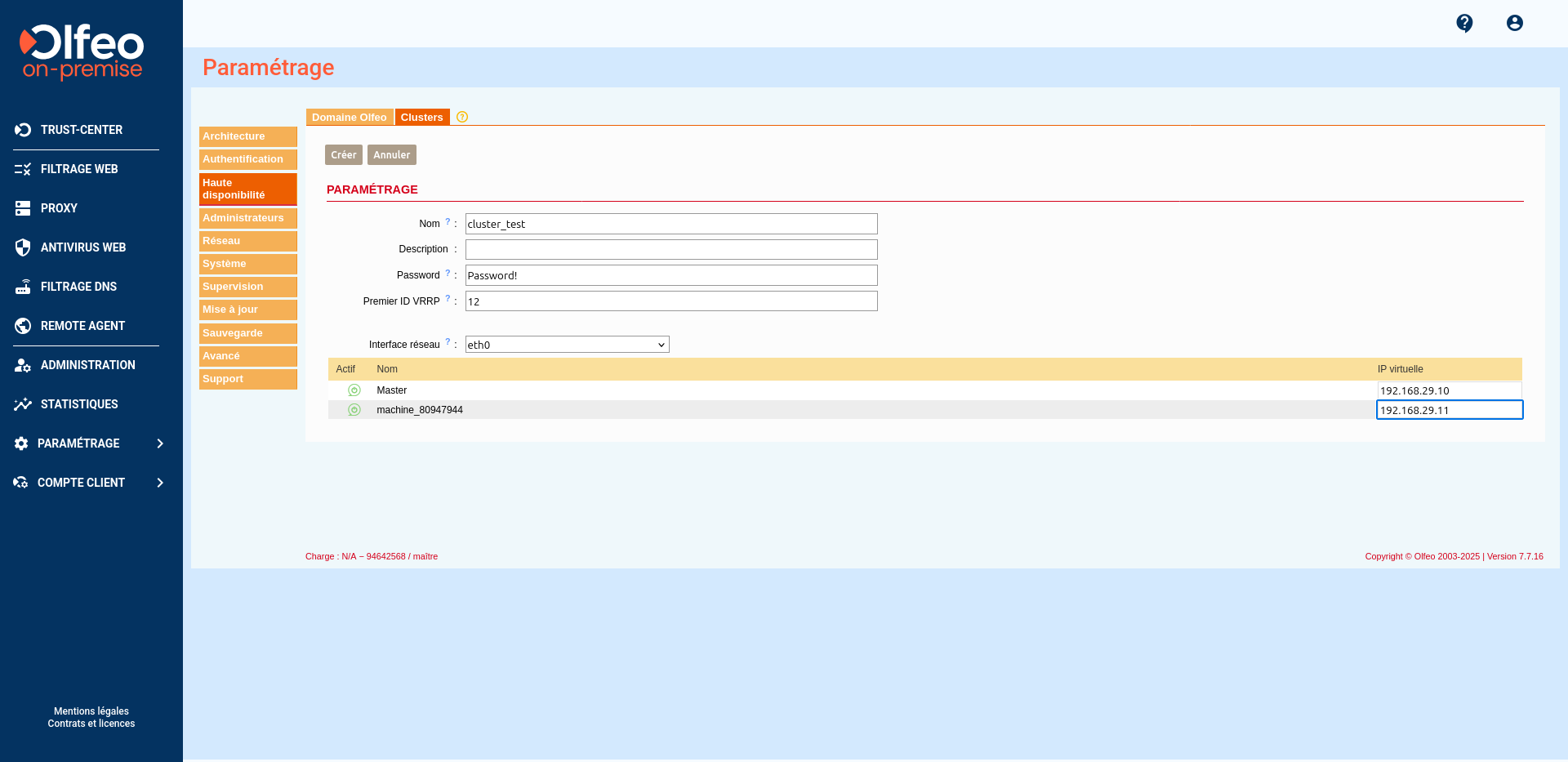
Enter a number between 1 and 254 in theFirst VRRP ID field. The first VRRP ID is an identifier used for node management.
For each machine previously added to the Olfeo cluster, enter a virtual IP address in the Virtual IP column.
Load balancing via proxy.pac
It is possible to distribute the load between the different nodes by implementing a proxy.pac as in one of the three examples below:
- Example 1: High availability (failover).
function FindProxyForURL(url, host) {
// Ne passe pas par le proxy si le host n’est pas un FQDN.
if (isPlainHostName(host))
return « DIRECT »;// Exceptions : Ne pas passer par le proxy si l’URL match les regex suivantes :
if (shExpMatch(url, »*domain.com* ») || shExpMatch(url, »*vpn.domain.com* »))
return « DIRECT »;// Ne pas passer par le proxy si les noms d’hôtes de destination sont sur le réseau local.
var resolved_ip = dnsResolve(host);
if (isInNet(resolved_ip, "10.0.0.0", "255.0.0.0") || 'perform replication
isInNet(resolved_ip, "172.16.0.0", "255.240.0.0") ||
isInNet(resolved_ip, "192.168.0.0", "255.255.0.0") ||
isInNet(resolved_ip, "127.0.0.0", "255.255.255.0"))
return "DIRECT";// Ne pas passer par le proxy entreprise si l’utilisateur n’est pas connecté au LAN entreprise.
if (!isInNet(myIpAddress(), « 10.10.1.0 », « 255.255.255.0 »))
return « DIRECT »;// Tout le reste passe par le proxy entreprise.
//exemple 1 : Un seul proxy :
return « PROXY proxy.mondomaine.tld:3129 »;//exemple 2 : 2 proxy en Fail Over
// return « PROXY proxy1.mondomaine.tld:3129; PROXY proxy2.mondomaine.tld:3129; DIRECT »;
} - Example 2: Using a specific proxy depending on the protocol used.
function FindProxyForURL(url, host) {
// Si l’hôte de destination (FQDN ou IP) est interne : ne pas passer par le proxy.
var resolved_ip = dnsResolve(host);
if (isInNet(resolved_ip, "10.0.0.0", "255.0.0.0") ||
isInNet(resolved_ip, "172.16.0.0", "255.240.0.0") ||
isInNet(resolved_ip, "192.168.0.0", "255.255.0.0") ||
isInNet(resolved_ip, "127.0.0.0", "255.255.255.0"))
return "DIRECT";// Utiliser un proxy différent en fonction du protocole.
if (shExpMatch(url, « http:* »)) return « PROXY proxy1.mondomain.tld:3129 »;
if (shExpMatch(url, « https:* »)) return « PROXY proxy2.mondomain.tld:3129 »;
if (shExpMatch(url, « ftp:* »)) return « PROXY proxy3.mondomain.tld:3129 »;}
- Example 3: load balancing.
function FindProxyForURL(url, host)
{// Ne passe pas par le proxy si le host n’est pas un FQDN.
if (isPlainHostName(host))
return « DIRECT »;// Exceptions : ne pas passer par le proxy si l’URL match les regex suivantes.
if (shExpMatch(url, »*domain.com* ») || shExpMatch(url, »*vpn.domain.com* »))
return « DIRECT »;// Ne pas passer par le proxy si les noms d’hôtes de destination sont internes.
var resolved_ip = dnsResolve(host);
if (isInNet(resolved_ip, "10.0.0.0", "255.0.0.0") ||
isInNet(resolved_ip, "172.16.0.0", "255.240.0.0") ||
isInNet(resolved_ip, "192.168.0.0", "255.255.0.0") ||
isInNet(resolved_ip, "127.0.0.0", "255.255.255.0"))
return "DIRECT";// Ne pas passer par le proxy entreprise si l’utilisateur n’est pas connecté au LAN entreprise.
if (!isInNet(myIpAddress(), « 10.10.1.0 », « 255.255.255.0 »))
return « DIRECT »;// On retourne une chaîne de proxy en fonction du hash de l’URL modulo le nombre de proxy. Ceci permet d’obtenir à la fois une répartition de charge et une tolérance aux pannes.
ret = URLhash(url);if ( (ret % 2) == 0 ) {
return « PROXY proxy1.mondomaine.tld:3129 ; PROXY proxy2.mondomaine.tld:3129 » ;
} else {
return « PROXY proxy2.mondomaine.tld:3129 ; PROXY proxy1.mondomaine.tld:3129 » ;
}}
function URLhash(name)
{
var cnt=0;
var str=name.toLowerCase(name);if ( str.length ==0) {
return cnt;
}for(var i=0;i < str.length ; i++) {
var ch= atoi(str.substring(i,i + 1));
cnt = cnt + ch;
}return cnt;
}function atoi(charstring)
{if (charstring == "a") return 0x61; if (charstring == "b") return 0x62;
if (charstring == "c") return 0x63; if ( charstring == "d") return 0x64;
if ( charstring == "e") return 0x65; if ( charstring == "f") return 0x66;
if ( charstring == "g") return 0x67; if ( charstring == "h") return 0x68;
if ( charstring == "i") return 0x69; if ( charstring == "j") return 0x6a;
if ( charstring == "k") return 0x6b; if ( charstring == "l") return 0x6c;
if ( charstring == "m") return 0x6d; if ( charstring == "n" ) return 0x6e;
if ( charstring == "o" ) return 0x6f; if ( charstring == "p" ) return 0x70;
if ( charstring == "q" ) return 0x71; if ( charstring == "r" ) return 0x72;
if ( charstring == "s") return 0x73; if ( charstring == "t") return 0x74;
if ( charstring == "u") return 0x75; if ( charstring == "v") return 0x76;
if ( charstring == "w") return 0x77; if ( charstring == "x" ) return 0x78;
if ( charstring == "y" ) return 0x79; if ( charstring == "z" ) return 0x7a;
if ( charstring == "0" ) return 0x30; if ( charstring == "1" ) return 0x31;
if ( charstring == "2" ) return 0x32; if ( charstring == "3" ) return 0x33;
if ( charstring == "4" ) return 0x34; if ( charstring == "5" ) return 0x35;
if ( charstring == "6" ) return 0x36; if ( charstring == "7" ) return 0x37;
if ( charstring == "8" ) return 0x38; if ( charstring == "9" ) return 0x39;
if ( charstring == "." ) return 0x2e;
return 0x20;
}
Validation
- Use the "ip a" command rather than "ifconfig" for an accurate reading of virtual IP settings.
- Check the IP configuration of each cluster member; each cluster member must have two IP addresses (one physical and one virtual).
- On the master server, stop the keepalived service (/etc/init.d/keepalived stop). The slave server must retrieve the virtual IP address from the master.
- Restart the keepalive service on the master server (/etc.init.d/keepalived start). The master server must retrieve its virtual IP address, and the slave must not retain it.