
KB No. 2789: CONFIGURING THE PROXY IN FIREFOX VIA GPO
Objective
Set up a GPO to force the use of the proxy with Firefox.
Steps
1. Use the ADMX template provided by Mozilla.
DOWNLOAD THE LATEST UPDATED VERSION
2. Unzip the archive.
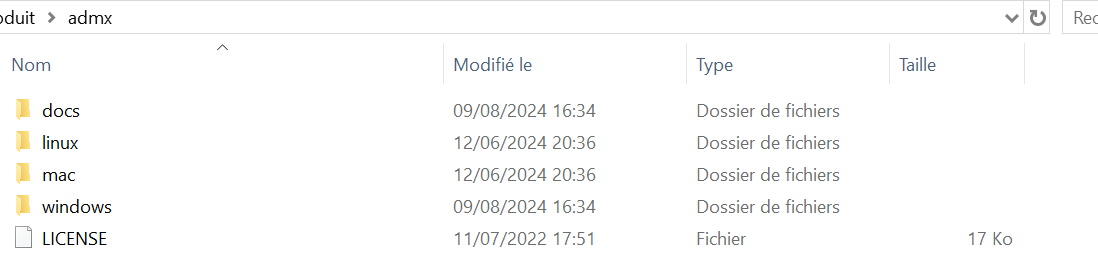
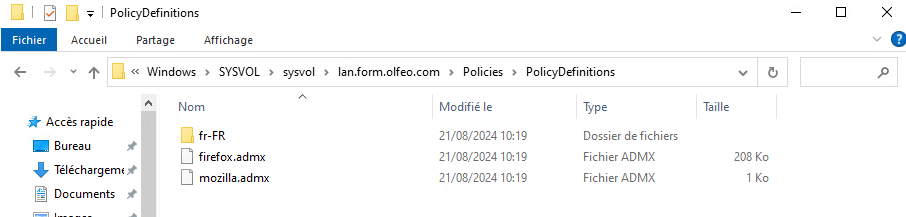
3. Copy the two files, firefox.admx and mozilla.admx, as well as the fr-FR folder containing the files firefox.adml and mozilla.adml , to your C:\Windows\SYSVOL\sysvol\Policies\PolicyDefinitions folder.
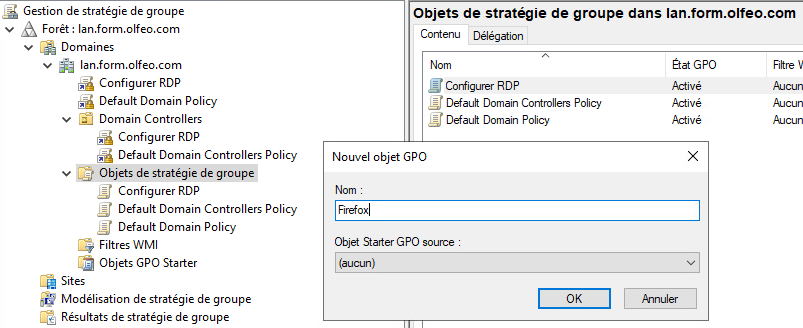
4. Create a user GPO dedicated to Firefox.
4.1 Open the "Group Policy Management" tool.
4.2 Create and name a GPO object.
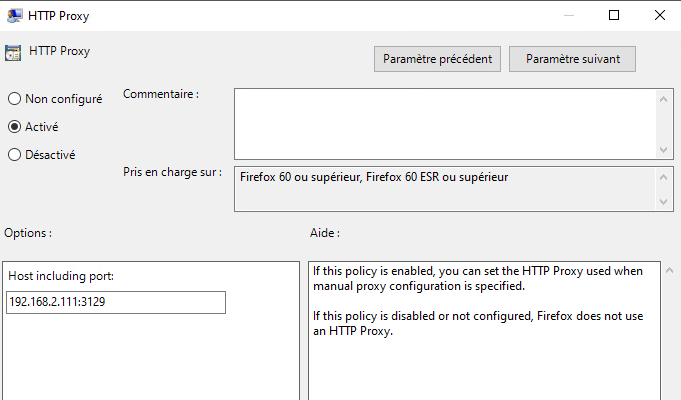
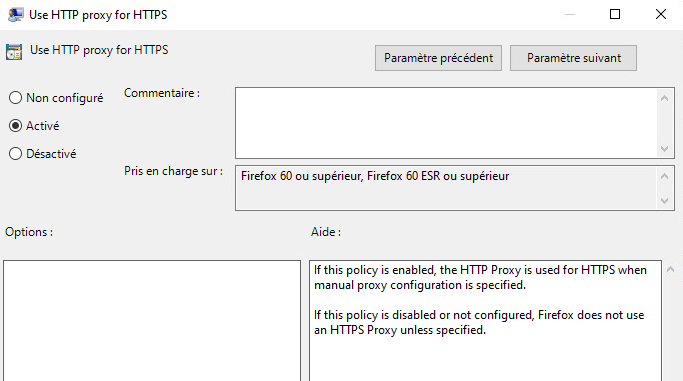
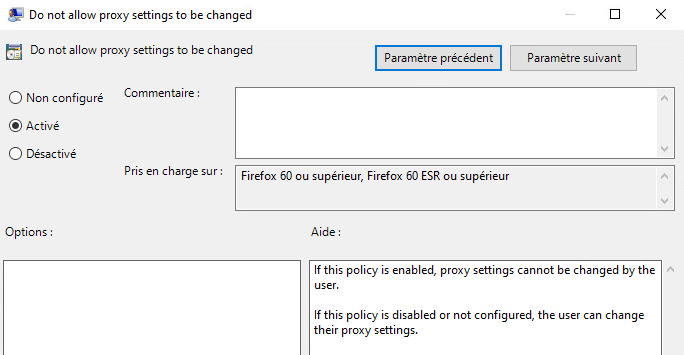
4.3 Edit the "Firefox" GPO, then Proxy Settings
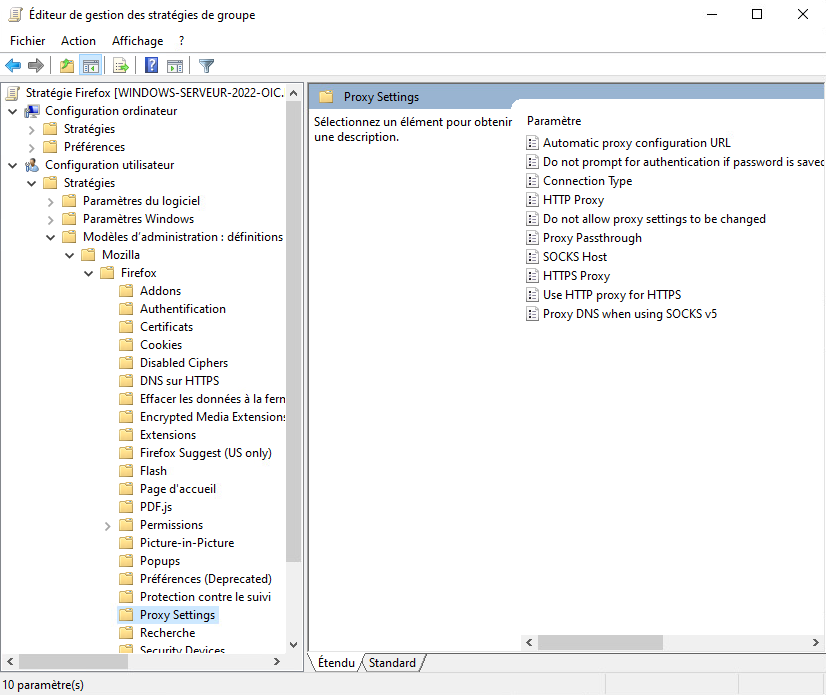
4.4 Enable, allow, or disallow user modifications, and select the desired connection setting.
Result
1. Force the GPO on a user workstation to verify that it is applied correctly:gpupdate /forceor possibly restart the user session.
2. Check that the settings are correct in the Firefox browser.
If everything went well, the Proxy option should be grayed out with the settings entered in the administration template.