KB No. 22 Delete a GPO related to the proxy or DNS
Objective
Properly delete an Active Directory GPO that modifies or enforces proxy or DNS settings, so that machines are no longer affected by this configuration.
Prerequisites
- Group Policy Management Console (GPMC)
- Administrative rights over the domain
- Knowledge ofthe GPO location (where it is linked: domain, site, OU)
- (Optional) Access to a client machine to test withdrawal
Étapes
1. Identify the GPO to be deleted
- Open the GPMC console:
gpmc.msc
- Navigate the tree structure:
Forêt > Domaines > votre_domaine.local > Objets de stratégie de groupe
- Identify GPOs with an explicit name:
- Examples:
GPO_Proxy_Systeme,GPO_Blocage_DOH,GPO_DNS_Statique
- Examples:
👉 If the names are ambiguous, right-click > Edit to check the proxy/DNS settings defined in the GPO.
2. Remove the link from the GPO
Deleting a GPO does not immediately remove its effects if it remains linked to an OU or the domain.
-
Go to the OU or level where the GPO is linked:
Domaine > OU_Concernée
-
- Right-click on the GPO → Remove the link
In the right-hand panel:
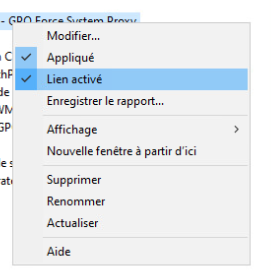
- Right-click on the GPO → Remove the link
This is sufficient to stop the strategy from being applied to the affected machines. You can verify this by forcing the GPO with gpupdate /force and then gpresult /r to view the result.

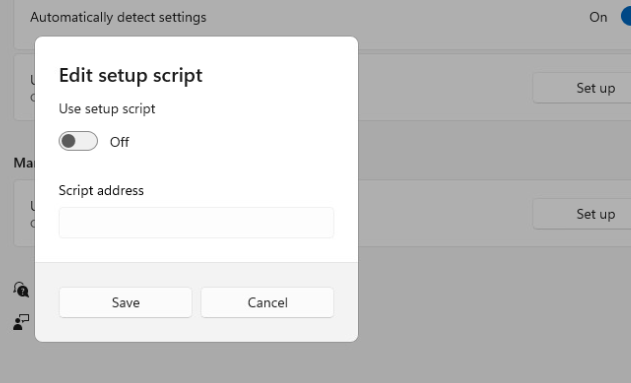
Next, you can check your proxy settings to make sure that the settings can be changed again: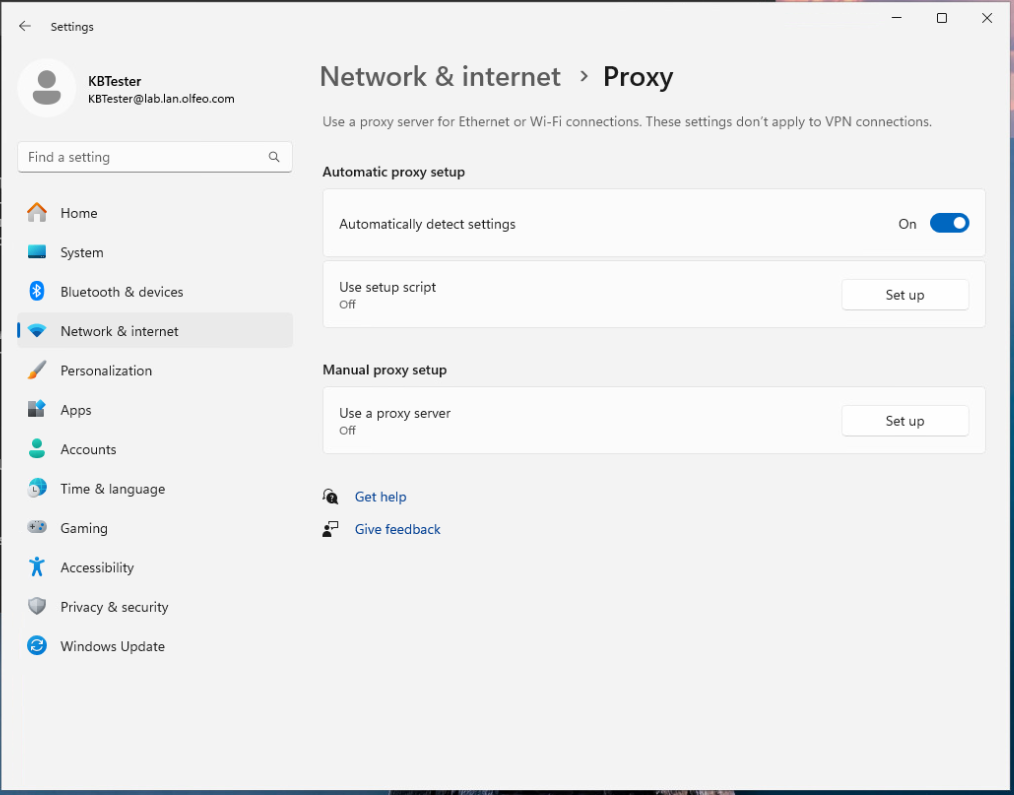
Then:
3. Permanently delete the GPO (optional)
If you are sure that it is no longer used anywhere:
- In
Objets de stratégie de groupe, right-click on the GPO → Delete - Confirm deletion
📌 This action deletes the GPO object itself (template), not just its link.
4. Force GPO update (optional)
On a client workstation, to apply the removal immediately:
gpupdate /force
Or restart the machine.
5. Verification
- On an affected machine, verify that:
- Proxy settings are no longer enforced (in Edge, Chrome, etc.)
- DNS settings have returned to normal
- Deleted policies no longer appear in
rsop.mscorgpresult /h rapport.html
Recommendations
- Always document GPOs before deleting them.
- Verify thatno other application is still using this GPO.
- When in doubt, temporarily disable the GPO before deletion:
- Right-click > Disable in the GPMC console.